Engammo · Developer tools
Release notes that write themselves.
Engammo turns every merged GitHub pull request and every new tag into a clear release note with AI, and publishes it to your updates page, widget and RSS feed. Customers, sales and support always know what shipped, and nobody writes a changelog by hand.
14-day free trial · Cancel anytime · No workflow file

What is Engammo?
Engammo is a release notes tool made by Gorilli. It installs as a GitHub App, turns every merged pull request and every new Git tag into a plain-language release note with AI, tags it from your PR labels, turns it into FAQs, and publishes it to a hosted updates page, an embeddable widget, an RSS feed and JSON endpoints.
Facts and prices checked
- Made by
- Gorilli, Milan, Italy
- Price
- Starter $29/month, Team $79/month, 14-day free trial
- Works with
- GitHub, as a GitHub App, no workflow file
- Publishes to
- Updates page, embeddable widget, RSS feed and JSON endpoints
- Languages
- English; Italian and Spanish translations on Team
See it in action
Engammo, screen by screen
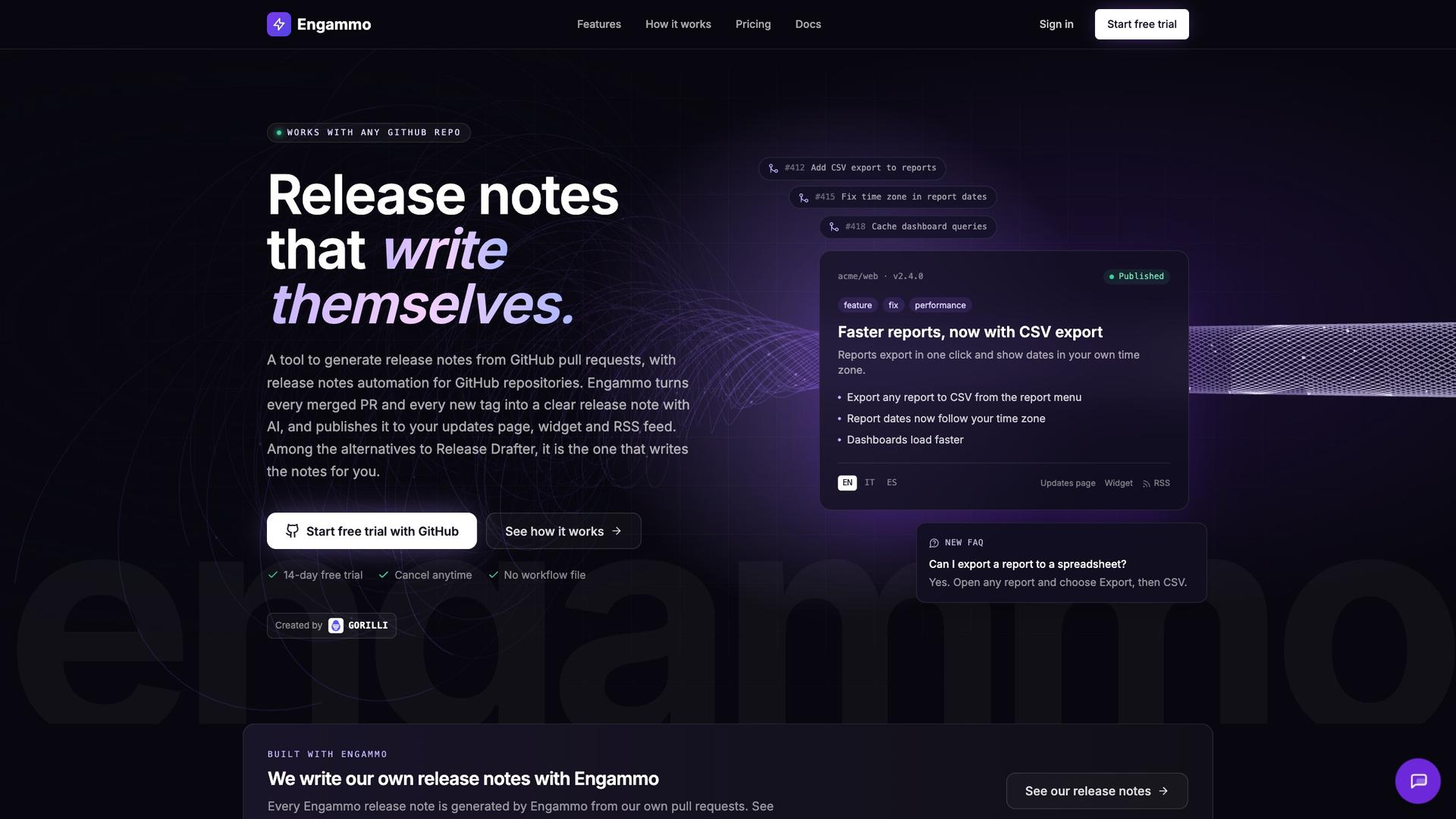 01
From merged pull requests to a release note
Engammo reads the pull requests in a release and writes one clear note with a title, a summary and bullets, tagged and ready to publish, with an FAQ when users will ask.
- Notes from merged PRs, Git tags and GitHub releases
- AI-written title, summary and bullets
- Tags from your PR labels
- Generated FAQs
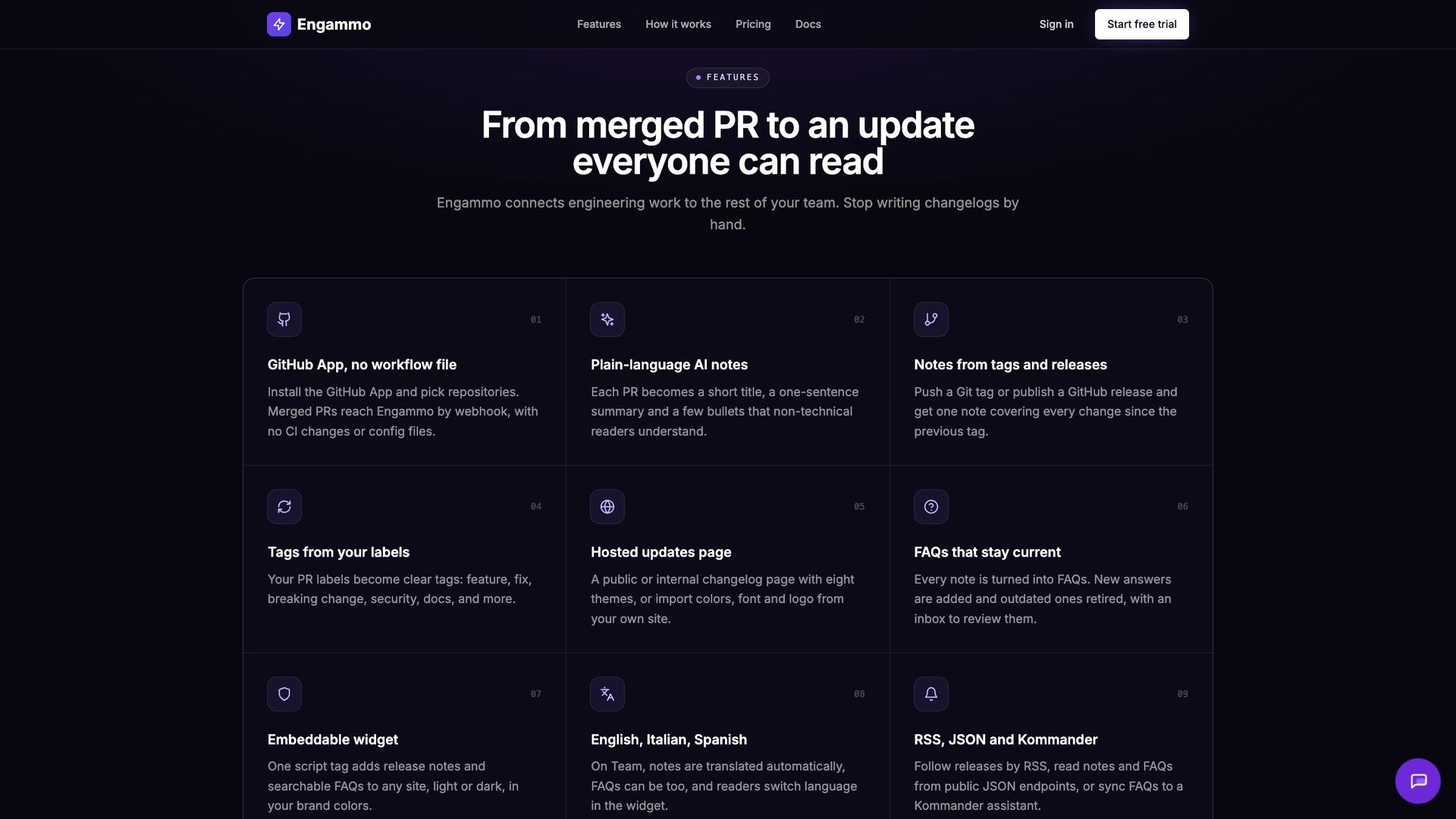 02
Everything after the merge
Install the GitHub App and pick your repositories: no workflow file. Each note goes to a hosted page, a widget, RSS and JSON, translated into Italian and Spanish on Team.
- GitHub App, no workflow file
- Hosted updates page and embeddable widget
- Italian and Spanish translations on Team
- RSS, JSON and Kommander FAQ sync
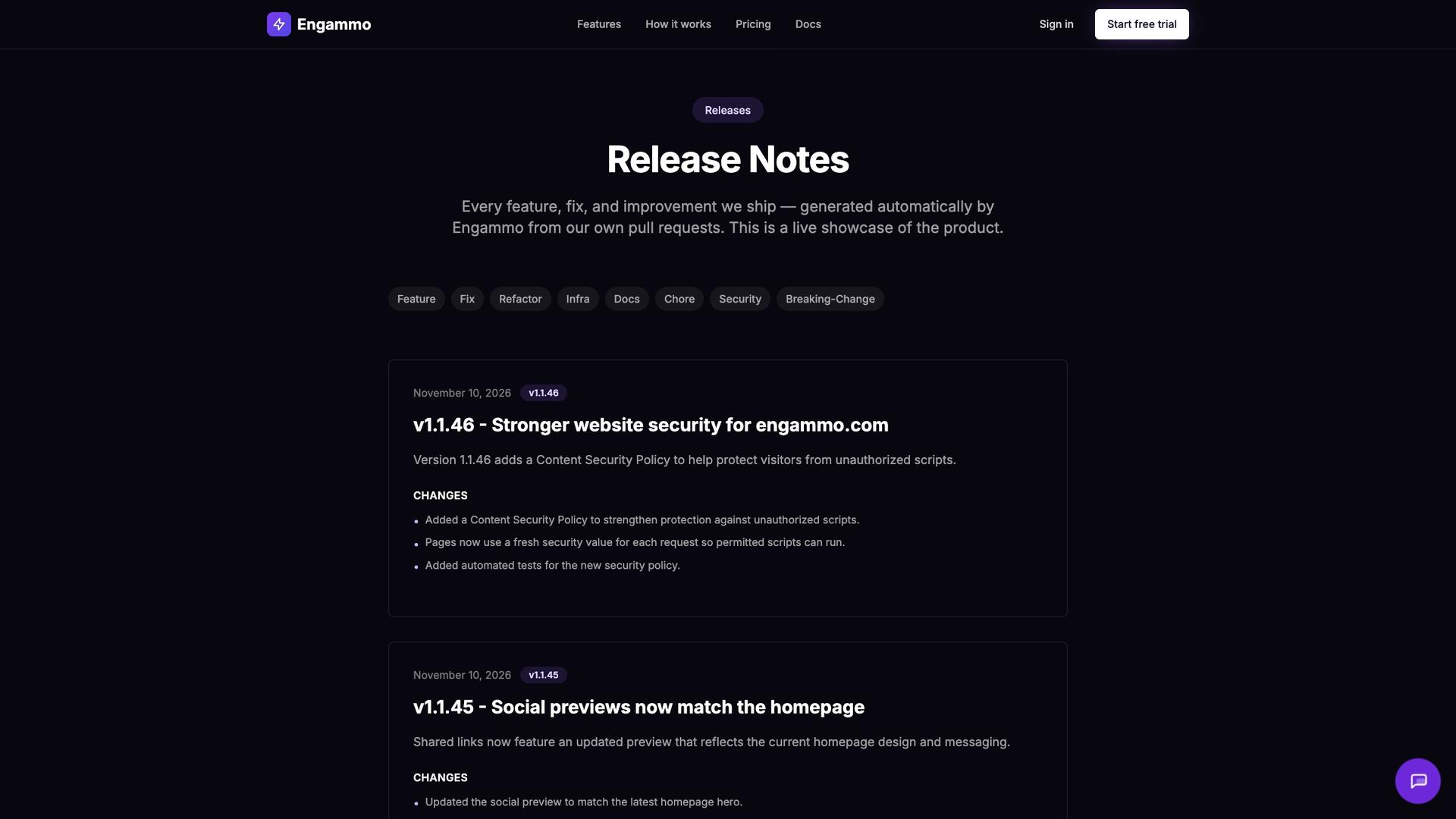 03
A live updates page
Engammo's own release notes, generated from its pull requests and filterable by tag. Your page can match your site's colors, font and logo.
- Hosted page, public or internal
- Filters by tag: feature, fix, security and more
- Versioned notes with a list of changes
- Your colors, font and logo
The problem
Shipping fast is wasted if nobody knows what shipped.
Changelogs get written late, written badly or not at all. Pull request titles mean nothing outside engineering, so sales asks in Slack, support finds out from customers, and the work your team shipped goes unnoticed.
Why teams use it
What Engammo does for you
No more changelog chores
Merged PRs reach Engammo by webhook and become a release note automatically, with no CI changes or config files.
Notes people actually read
Each PR becomes a short title, a one-sentence summary and a few bullets that non-technical readers understand.
One note per release
Push a Git tag or publish a GitHub release and get one note covering every change since the previous tag.
Everyone sees it
Publish to a hosted updates page in your brand, embed notes in any site with one script tag, or let people follow the RSS feed.
FAQs that stay current
Every note is turned into FAQs. New answers are added and outdated ones retired, with an inbox to review them.
Speak your customers' language
On Team, notes are translated into Italian and Spanish automatically, and readers switch language in the widget.
How it works
- 01
Install the GitHub App
Sign in with GitHub or an email link, install the app and pick the repositories to track.
- 02
Merge PRs, push tags
Keep your normal workflow. Each merged PR, and optionally each new tag, triggers a note.
- 03
Publish everywhere
Notes appear on your updates page, widget, RSS feed and JSON endpoints. Edit, regenerate or hide any of them.
What's included
- GitHub App, no workflow file
- AI-written titles, summaries and bullets
- Notes from Git tags and GitHub releases
- Tags from PR labels: feature, fix, breaking change, security, docs
- Hosted updates page with eight themes
- Import colors, font and logo from your site
- Embeddable widget with searchable FAQs
- FAQs generated and retired automatically
- RSS feed
- Public JSON endpoints
- Italian and Spanish translations on Team
- Kommander FAQ sync on Team
- Public release notes page with tag filters
Built for
Engineering teams
Ship often without spending Friday afternoon writing a changelog.
Product managers
Turn every release into an update you can send to customers.
Sales and customer success
Know what changed before the customer asks, with FAQs that answer it for you.
SaaS founders
Show steady progress with a public updates page that writes itself.
Pricing
Try it free. Upgrade when it pays for itself.
Starter
$29/mo
Up to 3 repositories, unlimited notes and AI summaries, updates page, widget, RSS and FAQs.
Team
$79/mo
Up to 10 repositories, Italian and Spanish translations, no Engammo branding, Kommander FAQ sync.
Enterprise
Custom
Unlimited repositories, custom onboarding and direct support.
Prices from engammo.com, October 2026. Every plan starts with a 14-day free trial.
Questions
Is there a free plan?
No, but every plan starts with a 14-day free trial, and you can cancel anytime before it ends.
Does it work with GitHub only?
Engammo installs as a GitHub App and reads the pull requests, tags and releases in the repositories you select.
Do we need to change how we write pull requests?
No templates or workflow files are required. Engammo works from the pull requests you already write, and your existing PR labels sort the notes.
Can I edit the notes?
Yes. Notes are published automatically, and your team can edit, regenerate or hide any of them at any time.
Where can we publish release notes?
On a hosted updates page, public or internal, in any site through the embeddable widget, through RSS, or from public JSON endpoints. On Team you can also sync FAQs to a Kommander assistant.
Your next merge writes its own release note.
Install the GitHub App and see your first note in minutes. Free for 14 days.
Built and operated by Gorilli, an AI-native product company in Milan. Read the build story